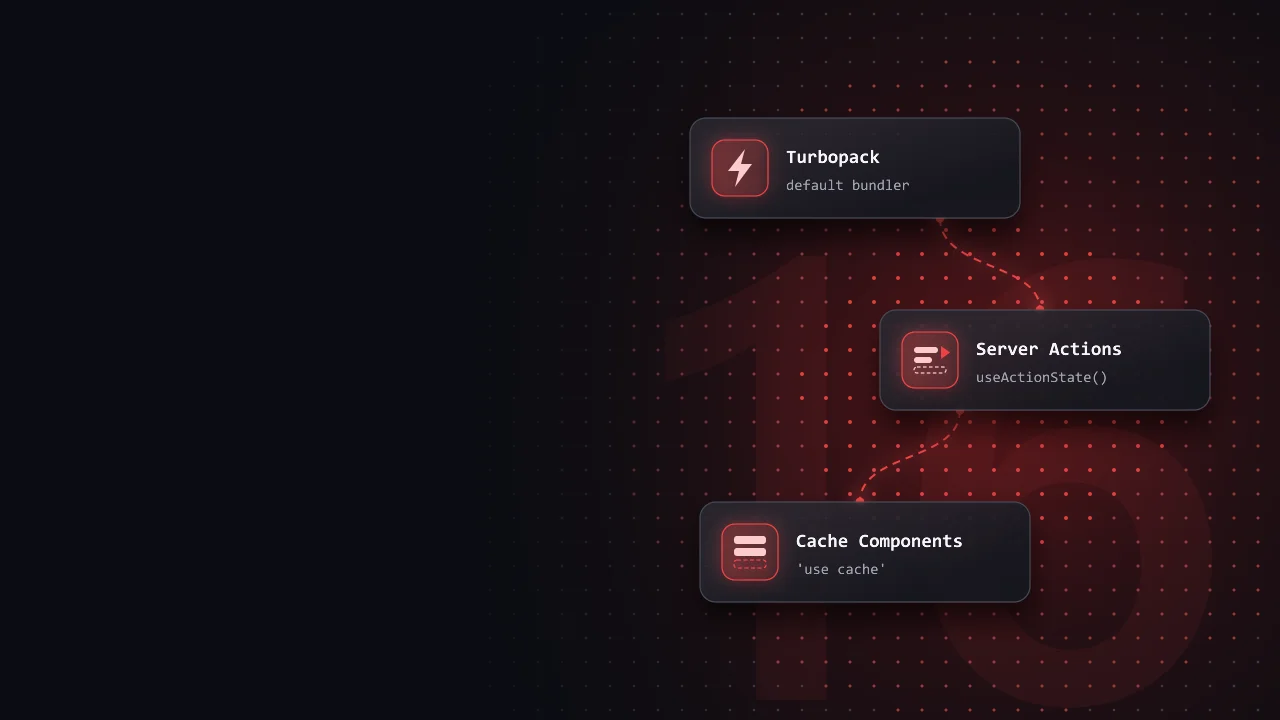
Next.js 16 rests on three ideas. Turbopack is the bundler behind next dev and next build. Server Actions let a form call a server function without an API route. Cache Components let one page be part static and part dynamic, so the parts that never change are served from the cache while the personal parts stream in.
This post walks through each one with code that runs on Next.js 16 and the App Router. You will get:
- What each feature does and why it exists, explained from the ground up.
- The code you write day to day: an actions file, a form with
useActionState, and a page with a static shell and dynamic holes. - Two widgets to play with: a Server Action on the network, and four ways to render one store page.
Turbopack: the default bundler
A bundler takes your many source files and turns them into the few files a browser can load. Every time you save a file, the bundler rebuilds what changed and Fast Refresh swaps the new code into the open page without losing its state.
Turbopack is a bundler written in Rust. It remembers the result of every step it has done, so after a change it redoes only the work that the change touches. In Next.js 16 it runs both the dev server and the production build, so the same bundler handles your first next dev, every save, and every deploy. The Next.js team reports faster production builds and faster Fast Refresh with it in the Next.js 16 release post.
What it means day to day
- There is nothing to turn on.
next devandnext builduse Turbopack with no flag. - Most CSS, Tailwind, TypeScript and image setups work as they are, because Next.js configures them for Turbopack itself.
- If a build error looks odd, a webpack run is a quick second opinion. Keep a script for it:
{ "scripts": { "dev": "next dev", "build": "next build", "dev:webpack": "next dev --webpack" }}Server Actions: forms without an API route
The classic way to save a form takes two files. First, an API route that runs on the server:
import type { NextApiRequest, NextApiResponse } from 'next'export default async function handler( req: NextApiRequest, res: NextApiResponse,) { // The page sends JSON, so Next.js has already parsed it const data = req.body // createItem stands for your own database call const id = await createItem(data) res.status(200).json({ id })}Then a page whose submit handler stops the browser and calls that route with fetch:
import { FormEvent } from 'react'export default function Page() { async function onSubmit(event: FormEvent<HTMLFormElement>) { event.preventDefault() const formData = new FormData(event.currentTarget) const response = await fetch('/api/submit', { method: 'POST', headers: { 'Content-Type': 'application/json' }, body: JSON.stringify(Object.fromEntries(formData)), }) const data = await response.json() // ...update the page yourself } return ( <form onSubmit={onSubmit}> <input type="text" name="name" /> <button type="submit">Create item</button> </form> )}The same form with 'use server'
In the App Router, the same form fits in one file:
import { revalidatePath } from 'next/cache'export default function Page() { async function create(formData: FormData) { 'use server' // createItem stands for your own database call await createItem(formData) revalidatePath('/') } return ( <form action={create}> <input type="text" name="name" /> <button type="submit">Create item</button> </form> )}The 'use server' line marks create as a Server Action: the function runs only on the server, and its code never reaches the browser. Next.js gives the browser a reference to it instead, an id it can send to ask the server to run it. You pass the function to the form's action prop, not to onSubmit. The revalidatePath('/') call tells Next.js that this page shows old data, so the response to the form carries the new page.
Because it is a real form with a real action, it also works before the page's JavaScript has loaded. This is called progressive enhancement: the plain HTML works on its own, and JavaScript makes it faster once it arrives. Pick a scenario below and step through what happens on the network.
An actions file and useActionState
A real form has to show what went wrong and whether it is still saving. Put the actions in their own file with 'use server' at the top, so every export is an action and a Client Component can import them. An action used with useActionState gets the previous state as its first argument and returns the next one:
'use server'import { revalidatePath } from 'next/cache'export type CreateState = { error: string | null }export async function create( prevState: CreateState, formData: FormData,): Promise<CreateState> { const name = formData.get('name') if (typeof name !== 'string' || name.trim() === '') { return { error: 'Give the item a name.' } } // createItem stands for your own database call await createItem(name) revalidatePath('/') return { error: null }}The hook comes from react and returns three things: the latest state, an action to pass to the form, and isPending, which is true while the action runs:
'use client'import { useActionState } from 'react'import { create } from './actions'export function CreateForm() { const [state, formAction, isPending] = useActionState(create, { error: null }) return ( <form action={formAction}> <input type="text" name="name" /> <button type="submit" disabled={isPending}> {isPending ? 'Saving...' : 'Create item'} </button> {state.error && <p role="alert">{state.error}</p>} </form> )}The form still works without JavaScript: the server runs the action and renders the page with the returned state.
What actions can do
You can also call an action as a plain async function, without a form. With TypeScript, its arguments and return value are typed on both sides. Inside the action you can:
- Throw away cached data with revalidatePath() or revalidateTag(), or with
updateTag()when the user should see their own change on the very next render. - Send the user to another page with redirect().
- Read and set cookies with cookies(), which returns a promise you
await.
In the Client Component that uses the action, React hooks let you:
- Show errors returned by the server and a pending state with useActionState().
- Show the result before the server confirms it with useOptimistic().
- Read the pending state from a button deep inside the form with useFormStatus().
Security: an action is a public endpoint
Next.js does some of the work for you:
- Actions are only called with
POST, and Next.js checks that the request's origin matches your host, which blocks most cross-site form posts. - Action ids are hard to guess, and actions that nothing in your app uses are left out of the build.
- Values an inline action closes over are encrypted before they are sent to the browser and back.
Cache Components: a static shell with dynamic holes
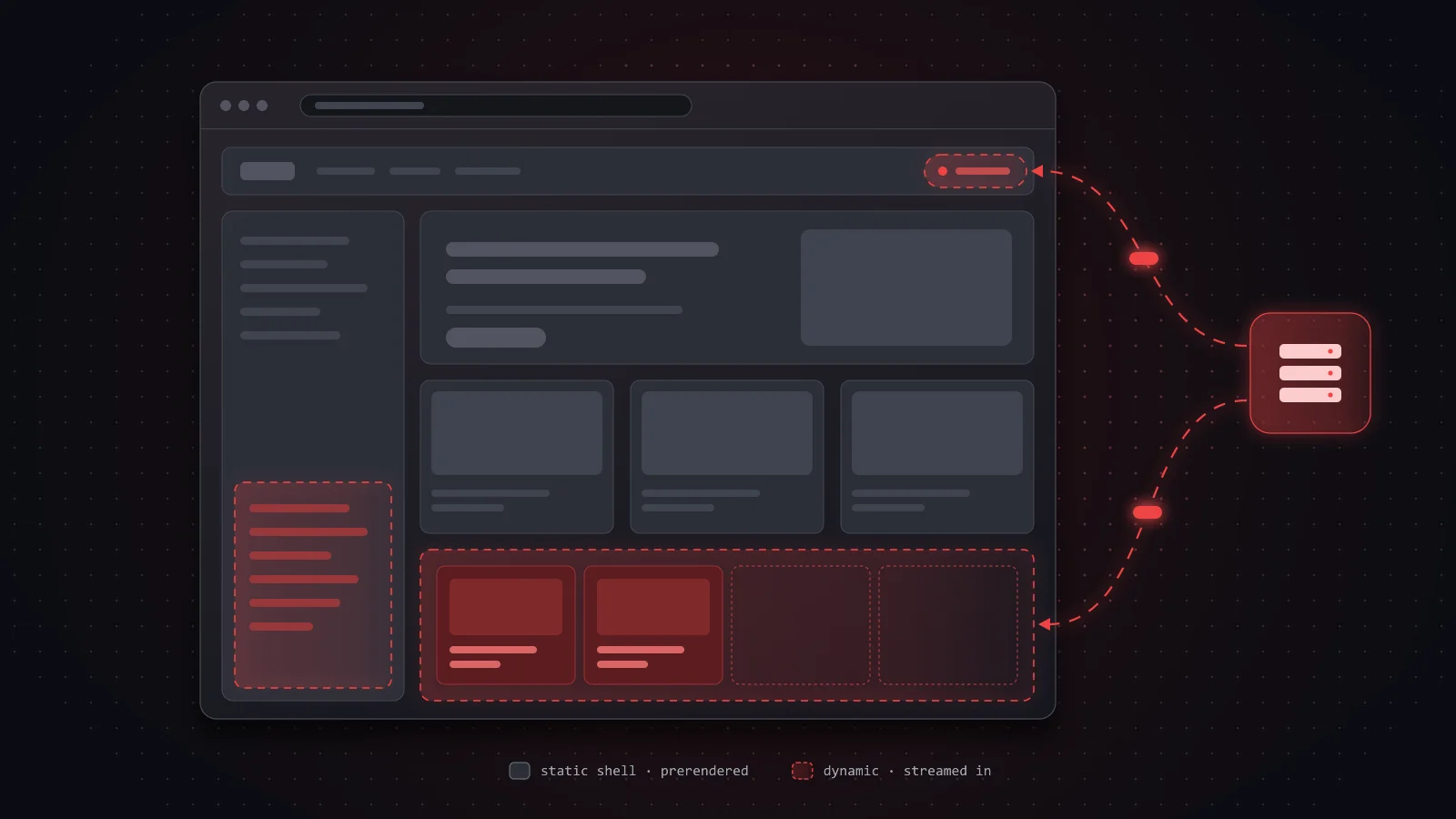
There are two classic ways to render a URL. A static page (static site generation, SSG) is built once at deploy time and served from a cache, so it is fast but the same for everyone. A dynamic page (server-side rendering, SSR) is rendered on every request, so it can be personal, but even the parts that never change are rendered again for each user. A store page with one personal part, the cart, would have to be all dynamic.
Cache Components split the page instead, using three ideas:
- A Suspense boundary is a
<Suspense>wrapper in React. It shows a fallback, like a grey skeleton, until the part inside is ready. - The static shell is everything outside those boundaries, plus the fallbacks. It is built ahead of time and served from the cache.
- Streaming means the server sends the response in pieces. The shell goes first, and each dynamic part follows when its data is ready.
This way of rendering is called Partial Prerendering (PPR), and with Cache Components on, every route in the App Router renders like this.
Turning it on
One option in the config turns on Cache Components:
import type { NextConfig } from 'next'const nextConfig: NextConfig = { cacheComponents: true,}export default nextConfigThe store page
You do not learn a new API for the page. You put the dynamic parts inside Suspense:
import { Suspense } from 'react'import Banner from './banner'import ShoppingCart from './cart'import Recommendations from './recommendations'import NewProducts from './new-products'import { CartSkeleton, ProductListSkeleton } from './skeletons'export default function Page() { return ( <main> <header> <h1>My Store</h1> <Suspense fallback={<CartSkeleton />}> <ShoppingCart /> </Suspense> </header> <Banner /> <Suspense fallback={<ProductListSkeleton />}> <Recommendations /> </Suspense> <NewProducts /> </main> )}When a request comes in, the static shell goes out at once. Each fallback marks a hole that the server fills later in the same response:
<main> <header> <h1>My Store</h1> <div class="cart-skeleton"> <!-- Hole --> </div> </header> <div class="banner" /> <div class="product-list-skeleton"> <!-- Hole --> </div> <section class="new-products" /></main>The dynamic cart
The cart reads a cookie to find the user's session. A cookie only exists on a real request, so Next.js cannot know it at build time. That one read is what makes the component dynamic. cookies(), headers() and the other request APIs return promises, so you await them:
import { cookies } from 'next/headers'import { getCart } from './data'export default async function ShoppingCart() { const cookieStore = await cookies() const session = cookieStore.get('session')?.value const cart = await getCart(session) return <div>Cart: {cart.items.length} items</div>}The cart streams into its hole as part of the same HTTP response as the shell, with no extra request from the browser. A loading.js file is a Suspense boundary too. Switch between the four modes below and move the latencies to see what the user gets and when.
Cached data with 'use cache'
The new products list fetches data too, but it is the same for everyone, so it belongs in the shell. With Cache Components, data that is not cached counts as dynamic, so you say what may be cached with the 'use cache' directive, and for how long with cacheLife:
import { cacheLife } from 'next/cache'import { getNewProducts } from './data'export default async function NewProducts() { 'use cache' cacheLife('hours') const products = await getNewProducts() return ( <section className="new-products"> {products.map((product) => ( <p key={product.id}>{product.name}</p> ))} </section> )}'use cache' works on a component, a plain async function, or a whole file. You can also tag a cached entry with cacheTag, so an action can throw it away with revalidateTag or updateTag when the data changes.
Every part of the page has a clear answer:
| Part | What it does | Where it renders |
|---|---|---|
| Header, banner | No data, or data known at build time | Static shell |
| New products | Shared data, marked 'use cache' | Static shell, refreshed per cacheLife |
| Cart, recommendations | Reads await cookies() or uncached data | A Suspense hole, streamed on each request |
If a component reads request data or uncached data outside a Suspense boundary, Next.js reports an error instead of quietly making the whole page dynamic. The fix is always one of the three rows above: cache it, or wrap it in Suspense.
Smaller things worth knowing in 16
paramsandsearchParamsare promises, likecookies()andheaders(). Await them in pages, layouts andgenerateMetadata.fetchrequests andGETRoute Handlers are not cached by default. You choose what to cache, with 'use cache' or the fetch options.- Request interception lives in
proxy.ts, with an exportedproxyfunction, at the root of the project. - The minimum Node.js version is 20.9, and there is no
next lintcommand, so you run ESLint directly. - Support for the React Compiler is stable. Turn it on with
reactCompiler: trueand you write lessuseMemoanduseCallbackby hand.
What to keep
- Turbopack is the default bundler for dev and build. Reach for
--webpackonly if you have a custom webpack config. - Server Actions replace one-off API routes and keep forms working before JavaScript loads. Put them in an actions file, use
useActionStatefor errors andisPending, and check the session inside every action, because each one is a public endpoint. - Cache Components give each page a static shell served at once, 'use cache' with
cacheLifefor shared data, and Suspense around anything personal, such asawait cookies().