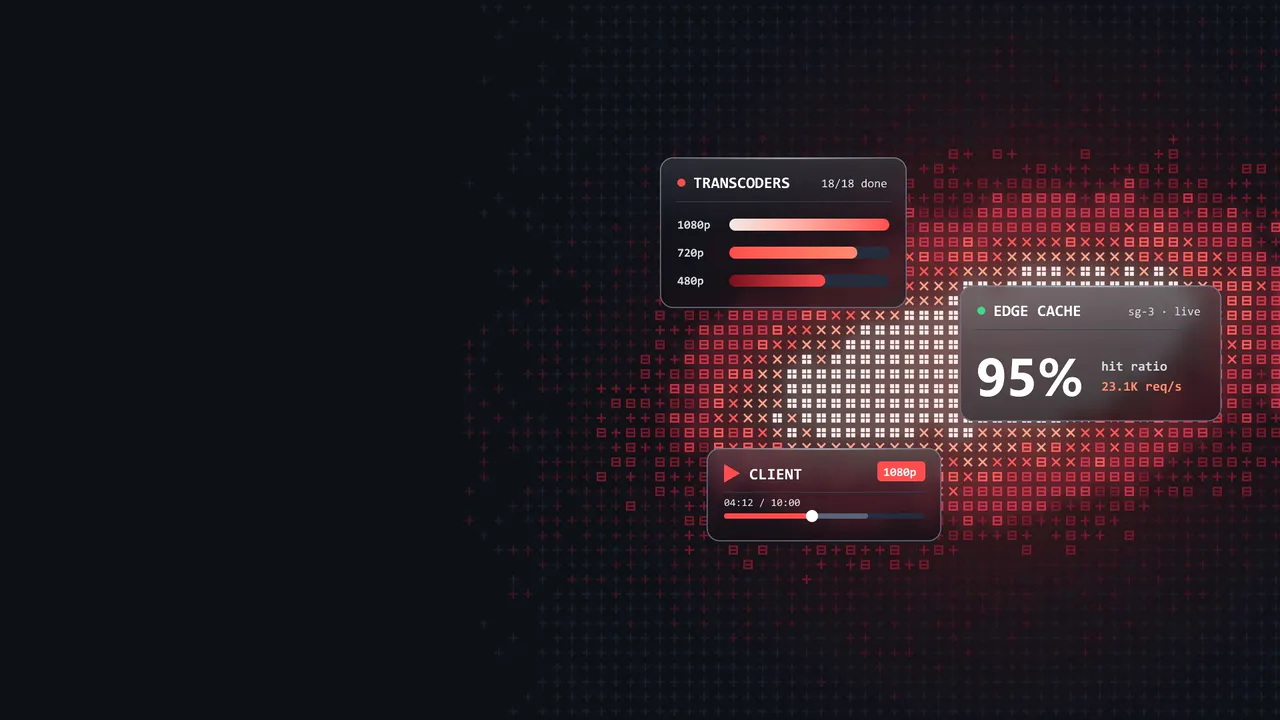
At the scale of a large video site, the servers, the database and the cache barely show up on the bill. With 400 million daily users and 2 billion views a day, the cost is in moving bytes: at $0.02 per GB on a rented CDN, those views come to about $4 million a day.
Cost is only half the problem. Out of about 20 million uploads a day, some drop halfway, some get sent twice, and some transcodes die before they finish. So every step in this design has to answer three questions: what if it runs twice, what if it stops halfway, and which copy wins?
The post designs the whole service, from upload to playback to deploys, and you can check it as you read:
- Change the assumptions and watch storage and the bandwidth bill move.
- Replay the failures in uploads, streaming, caching and deploys, one step at a time.
- Press Go viral at the end and see which part breaks first.
It takes about 45 minutes. The working code is in the streaming_video repository on GitHub.
Requirements
Before drawing any boxes, decide what the system must do and how well it must do it. Every component later in this post exists because one of these lines demands it. The targets are my assumptions for this exercise, not numbers from a real company.
What the service must do
- Accounts. Users can sign up and log in.
- Upload. Creators can upload a video with a title and a description.
- Watch. Viewers can play any published video and choose its quality, for example 480p or 1080p.
- Count. Every video keeps its number of views, likes, and dislikes.
Search, recommendations, and live streaming are out of scope, and they deserve their own designs. Comments and the creator dashboard are covered only as far as where they live and how they are kept from hurting playback.
How well it must do it
- Playback starts fast. A video begins within a couple of seconds and keeps playing without buffering.
- It survives scale and spikes. It serves hundreds of millions of daily users (we assume 400 million) and stays up when one video suddenly goes viral.
- It stays available. A failed server, disk, or data center does not take the service down.
- Uploads are fast and reliable. Large files get through, and a creator is never left wondering whether the upload worked.
- It is affordable to run. Bandwidth is the biggest cost, so every choice is judged by what it does to the bill.
Edge cases: when users do the unexpected
The happy path is easy. A design is judged by what happens when a user does something odd, or when something breaks halfway. These are the cases the system has to survive:
| The user | What goes wrong | What the system should do |
|---|---|---|
| Uploads a large file on a flaky connection | The connection drops at 90%. | Resume from the last chunk that arrived instead of starting over. |
| Uploads a corrupt or unsupported file | Transcoding fails after a long wait. | Check type and size up front. If transcoding still fails, mark the video as failed with a reason and let the creator retry. |
| Taps upload twice, or retries after a timeout | The same video exists twice. | The client makes an idempotency key when the user taps Upload and sends it with every attempt, so a retry is recognized as the same upload. |
| Opens a video that is still processing | There is nothing to play yet. | Show a "processing" state, and publish the video only when every resolution is ready. |
| Watches on a slow or changing network | The video stalls to buffer. | Drop to a lower resolution instead of stopping, and climb back when the network recovers. |
| Refreshes a video again and again, or is a bot | View and like counts are inflated. | Count one view per user per time window, accept one like per user, and rate-limit abusive clients. |
| Opens a video that was deleted or made private | A cached copy keeps playing after the owner removed it. | Remove it from the metadata first, purge the CDN copy, and show a clear "not available" message. |
| Enters the wrong password many times | Someone is guessing passwords. | Limit login attempts and lock the account for a short time. |
| Joins thousands of others on a brand-new video | Every request misses the cache and hits the origin. | Let the CDN and the metadata cache absorb the spike, and keep the origin for the first miss only. |
Every row is answered later in the post, and the recap at the end collects them all.
Estimating the scale
Every design decision starts with numbers: how many views, how many uploads, how many bytes. Change the assumptions below and watch the totals move. The defaults are the ones used for the rest of this post.
What the defaults tell us
- 2 billion views a day. 400 million daily active users, each watching 5 videos.
- Reads dominate. Far more people watch than upload. At 100 views per upload, 2 billion views means about 20 million uploads a day.
- 2 PB of new storage a day. 20 million uploads at 100 MB each, before compression and replication.
- About $4 million a day in bandwidth. Serving every view through a paid CDN at $0.02 per GB costs roughly Rp62 billion a day. That price is not made up: it is the AWS CloudFront list price above 5 PB a month, and at this volume the whole bill blends to about that rate. Smaller services pay much more per GB (up to $0.085 at the first tier), and some CDNs charge a fraction of it.
High-level design
The system is built from eleven components:
| Component | What it does |
|---|---|
| Client | Any device that can play video. |
| Load balancer | The entry point for every request. It spreads them across the servers and routes each one to the right service, by host or path. Helps with scale and availability. It is a fleet too: a managed load balancer adds nodes behind one address on its own, and a self-hosted one runs several copies behind DNS or anycast, never just one. |
| API servers | A fleet of stateless servers behind the load balancer. It checks login tokens and runs modules such as accounts, video metadata, comments and dashboards, which can become separate services as they grow. It decides who may watch and from which edge, using the health and load each edge reports, shared between instances through a small Redis, and returns the manifest address with a playback token. It handles the metadata cache itself: it asks the cache first, and on a miss reads the database and fills the cache. It never carries video bytes. |
| Message broker | Carries events and jobs between services, such as "check this upload" or "transcode this video". It absorbs bursts, so the database and the workers are not hit all at once. |
| Upload API | The endpoint clients use to upload, deployed and scaled separately from the API servers. It owns the lifecycle of every upload. It checks quotas and hands out signed URLs, finishes uploads (assembles the file and plans the transcode tasks), consumes events from the broker, checks that each status change is allowed, keeps the video status in the database up to date, and sweeps away uploads that were abandoned. |
| Transcoders | GPU workers that encode one task at a time: one segment of a video in one resolution (1080p, 720p, 480p). The upload API plans the tasks, and every result is reported back through the broker. Each GPU machine runs a worker program that pulls its task from the broker and reads and writes storage with its own credentials, which allow reading raw uploads and writing finished videos, nothing else. It has no public API, only health and metrics endpoints, so the autoscaler can add GPUs when the queue grows. |
| Video storage | BLOB storage for the raw uploads and the transcoded videos. A BLOB (binary large object) is data stored as one chunk, typically video, audio or images. Raw uploads and finished videos live in separate zones (two prefixes in one bucket, or two buckets) with different access and cleanup rules, so a raw file can never be served to viewers. |
| Edge cache | A fleet (a group of identical servers working together) of cache servers near the viewers that serves the video segments. A rented one is called a CDN, a content delivery network. Each of its servers is an border-zinc-800, because it sits at the border-zinc-800 of the network, close to viewers. It checks the playback token on every request, keeps popular segments on disk, reports its health and load to the API servers, and asks the mid-tier cache only on a miss. It knows nothing about users or metadata. It can be rented or run yourself. |
| Mid-tier cache (shield) | A cache layer between the edges and video storage. When many edges miss on the same segment, they share one fetch from storage instead of each making their own. It is also the only reader that holds storage credentials: the bucket stays private, viewers only ever get signed URLs that the edge checks, so it doubles as the gateway for every read. It runs apart from the API servers on purpose, because it moves video bytes and the API never should. |
| Metadata database | Titles, descriptions, video status, manifest locations, thumbnails and counters. Users and comments live in schemas of their own. Sharded and replicated for performance and availability. The upload API writes the video status, and the API servers only read it. |
| Metadata cache | Keeps hot metadata in memory so the database is asked less often. The API servers fill it on a miss. |
Three of them are services with very different loads, so each is deployed and scaled on its own:
- The API service serves many small read requests. It decides who may watch and from which edge, and returns the manifest. It never touches video bytes.
- The upload service serves few requests, each with a long life. It owns the lifecycle of every upload and is the only writer of video status.
- The delivery service moves the bytes. It is the data plane: a fleet of cache servers that must sit close to viewers and is sized by bandwidth and disk, not by request count.
Accounts and the services around the core
How login works
Login lives in the API tier, as an accounts module backed by its own user store. The client sends its credentials over HTTPS, the API compares them with the stored password hash, and it answers with two tokens:
- An access token that lives for minutes. The client sends it with every request, and any API server can verify its signature locally, without calling the database. That is what keeps the API servers stateless, so more of them can be added at any time.
- A refresh token that lives for days. It is stored on the server side, so logging out or banning an account can revoke it. When the access token expires, the client trades the refresh token for a new one.
The panel under the diagram shows what the two tokens are worth at each step.
Two details keep this cheap. Logins are rare compared with views, and most authentication traffic is just token checks, which cost no database call. Password hashing is slow on purpose, so the login endpoint gets its own rate limit and can be scaled separately from the rest. The upload and private-video flows reuse the same token: the upload service or the API checks it before it hands out signed URLs.
Where comments, dashboards and the rest live
To the client they are all just API endpoints behind the same load balancer. Inside, they have very different load, so they should not share a data store with video metadata:
| Module | Load | Data lives in |
|---|---|---|
| Accounts and login | Few writes, many token checks | A user database, plus a fast store for refresh tokens and rate limits. |
| Video metadata (the watch page) | Extremely read-heavy | The metadata database behind a cache. |
| Comments | Write-heavy, appended and read per video | Their own store, keyed by video, with the top comments cached. |
| Creator dashboard | Read-heavy, built from aggregates | An analytics store filled from events, never the primary database. |
| Likes and view counters | A very high write rate | An event stream. An aggregator removes duplicates, keeps the totals in memory and flushes them to the database in batches. |
A comment storm should not slow down playback, and a heavy dashboard query should not lock the database that serves the watch page. Giving each module its own store and its own limits means one of them can fail or be overloaded while the others keep working. A practical path is to start with one API codebase split into modules, and to pull a module out as its own service only when its load or its data store really differs from the rest.
The same goes for the data. On day one, the stores in the diagram are separate schemas in one MySQL server (in MySQL, a schema and a database are the same thing): one database to run, back up and pay for. What makes them separate is a rule, not a server: a module touches only its own schema. At scale, a schema moves to its own server when its load demands it. Comments and analytics usually go first, and users rarely need to. The schema further down shows that starting point.
Uploading a video
An upload is two very different jobs: a tiny request that creates the upload, and a huge transfer of video bytes. The design keeps them apart, so the bytes never touch the servers that serve viewers.
- Create the upload. The client calls the upload service with its access token, an idempotency key it made when the user tapped Upload, the title, the description and the file size. The service checks the user's upload quota, stores a record with the status "uploading" and an expiry time, and returns an uploadId plus signed URLs, one per chunk. The URLs are limited in size and lifetime.
- Send the chunks straight to video storage. The client uploads to the signed URLs. Storage checks every chunk as it arrives.
- Hint that it is done. The client sends one tiny request to the upload service. It is only a hint, because the service checks storage itself.
- The upload service finishes the file. It compares its record with storage, checks that every chunk is there, assembles them with a control call, moves the video to "processing". Then it splits the work into one task per segment and resolution, and queues the tasks.
- Transcode. GPU transcoders take the tasks. Each one reads only its own part of the raw video, encodes it, and writes the result back to video storage.
- Report back through the broker. Each finished task publishes transcode.done. The upload service records each one exactly once. When every task is in, it writes the manifests to video storage (one playlist per resolution and a master playlist that lists them), and only then sets the status to "ready" and announces video.ready for follow-ups such as a notification or a cache refresh.
The same six steps in order, one lane per component. The thick red arrows are the only ones that carry video, and none of them touches the upload service.
The whole upload, step by step
Now in motion, with the status as it changes. The other scenarios replay the failures explained below.
Why a broker? Workers and storage never write to the database directly. Status changes travel through the broker, so a burst of finished videos queues up instead of overloading the database, and a crashed consumer simply picks the message up again. Only the upload service writes the status, so the rules for which status may follow which live in one place.
Who decides the upload is done? The record created at the start knows how many chunks to expect, and storage knows how many it holds. The client is never the judge, because it can lie, crash or lose signal. Three things can notice that the numbers match: the client's finish hint, which is fastest, a storage event, and a sweep, which is the safety net when the client is gone. All three run the same idempotent routine. It queues the transcode tasks only after storage confirms the file, and the messages carry only IDs and paths, never video bytes.
When an upload goes wrong
A dropped connection. Storage remembers which chunks arrived. After a drop, the client asks the upload service what is missing and gets fresh signed URLs for those chunks, because the old ones may have expired during a long break. Then it sends only the missing ones. Multipart uploads in cloud storage and the open tus protocol work this way.
The creator leaves midway. The waste is bounded before the first byte: a quota on open uploads and pending bytes, an expiry time, and signed URLs limited in size and lifetime. While the upload runs, the client sends a heartbeat every minute, and the service moves last_activity only when the stored value is a few minutes old, so even a two-hour upload costs a few dozen writes. The upload belongs to the uploadId, not to the login session, so logging out only stops the heartbeats. The sweep picks up uploads that went quiet (an index on status and last activity keeps that cheap, and SKIP LOCKED keeps two instances off the same rows) and asks storage when the last chunk arrived, because a client that stopped its heartbeats may still be uploading. After a grace period the upload expires and its chunks are deleted. A lifecycle rule in storage that aborts old unfinished uploads is the last net, in case the sweep itself fails.
A double tap or a retry. The server creates the uploadId, so it cannot protect the first request: if the answer is lost, the client never learns it. That is why the client makes its own idempotency key the moment the user taps Upload, and sends it with every attempt. A key the server has already seen returns the existing upload, and a unique constraint on the key holds even when two requests arrive at the same moment.
A bad file. Fail early: check the type, size and duration while the upload runs, and probe the container before accepting it. Whatever still fails during transcoding ends in the failed status described below.
Transcoding
Transcoders convert the video into the formats and resolutions we defined in advance, and generate thumbnails on the way. The work is split across many machines: one task per segment and resolution, each a few seconds of video. If a video turns popular, an extra compression pass can shrink it further while keeping the same visual quality.
Life of a transcode task
Every GPU machine runs one small, stateless process: the transcode worker. It is the whole "Transcoders" box in the diagram. Nobody watches the GPUs. Each worker follows a fixed order, and the broker's own features catch every crash.
loop: 1. pull a task (long poll) the broker hides it from others: lease = 60 s 2. run ffmpeg on the GPU extend the lease every 20 s while it runs 3. write the result to storage fixed path: v_42/720p/seg_005.ts 4. publish transcode.done { videoId, taskId } 5. ack the task the broker deletes it from the queueThe order is the point: write, then publish, then ack. A crash between any two steps causes a repeat, never a loss. This is called at-least-once delivery: a message can arrive more than once but is never dropped, so everyone who receives one must handle a duplicate.
| The worker dies between | What happens | Why it is safe |
|---|---|---|
| 1 and 3, while encoding | The lease runs out, the task becomes visible again, and another GPU takes it. | Nothing was written yet. |
| 3 and 4 | The task is repeated, and the segment is encoded again. | The path is fixed, so the same file is overwritten. |
| 4 and 5 | The task is repeated, and transcode.done arrives twice. | The task's completion row already exists, so the duplicate changes nothing. |
Replay each of those crashes below. Watch the worker loop on the left, and on the right what the broker and the upload service believe about the same task.
- 1pull a task, lease 60 s
- 2run ffmpeg, extend every 20 s
- 3write the segment to storage
- 4publish transcode.done
- 5ack the task
The numbers are chosen so that one missed lease extension does not cause a repeat, and a dead worker is noticed within a minute. The broker counts deliveries (ApproximateReceiveCount in SQS, x-delivery-count in a RabbitMQ quorum queue). The first attempt plus three retries makes four, with waits of 5 seconds, 30 seconds and 2 minutes, and after that the task goes to a dead-letter queue.
- A crash or a power cut sends no signal at all. The expired lease is the signal, so no separate heartbeat service is needed.
- An ffmpeg error, such as a corrupt frame, leaves the worker alive. It rejects the task with a delay right away instead of waiting for the lease to run out.
- A slow worker that lost its lease may finish while another GPU works on the same task. Both write the same path, the done event counts once, and the broker refuses the old worker's ack.
- Scaling down, or a spot instance being taken back, sends the worker a stop signal. It hands its current task back at once, so another GPU can start without waiting a minute.
Counting finished tasks. In one transaction, the upload service inserts a row with a unique key on (video, task). A redelivered transcode.done hits that key and stops there. Only a new row adds one to the video's counter, with UPDATE ... RETURNING, which locks the video's row: of two tasks that finish together, exactly one sees the count reach 18, writes the manifests and marks the video ready. A plain counter without the unique row is the classic bug: one redelivered message, and a video turns ready with a segment missing.
A task that never succeeds. After four attempts it goes to the dead-letter queue, so it cannot block other videos, and the whole video fails: its encoded segments are deleted and the reason is stored. That throws away finished work, but a video with a missing resolution must never be published. The same rule is why a video goes live only when every task succeeded. The raw upload is kept for a few days so the creator can retry without uploading again. Once a video is ready, the raw upload is deleted, because keeping originals would roughly double the storage bill. The price is that a video can never be encoded again from its original, for example into a newer codec.
A video stuck in processing. If a message was lost to a bug, or a task was never published, the count stops moving. The same sweep that finds abandoned uploads looks for videos whose count has not moved for much longer than an encode takes, and publishes the missing tasks again or marks the video failed.
A video's status
Every video moves through explicit states, and only the upload service moves it:
| Status | Meaning | What people see |
|---|---|---|
| uploading | Chunks are still arriving. | The creator sees progress. |
| processing | Transcoding is running. | Viewers see "processing". |
| ready | Every task succeeded, so every resolution can be played. | The video plays. |
| failed | A task ran out of retries. Every encoded segment was deleted, and the reason is stored. | The creator sees the reason and a Retry button, which works while the raw upload is still kept. |
| expired | The upload was never finished. Its chunks were removed. | The creator sees "upload not finished" and can start again. |
| removed | The owner deleted or hid the video. Its copies are being cleaned up. | Viewers see "not available". |
Every change is a conditional update: UPDATE videos SET status = 'processing' WHERE id = ? AND status = 'uploading'. When the finish hint and the sweep notice the same upload in the same second, one changes a row and the other changes none and stops, so the tasks are queued once. The same rule guards every arrow below, so a late or repeated trigger is always harmless.
Streaming a video
Playback is two separate jobs, just like an upload. One small request asks the API whether this viewer may watch and where from. The video itself then comes from an edge cache over plain HTTP. The API never sends a single video byte.
That small call cannot be skipped. It is the only place where the service decides who may watch: a private or deleted video gets a 403 here, and a bare file URL could never do that. It also picks the edge for this viewer, from their location and the load on each edge. The answer has three parts: the manifest URL on that edge, a few fallback edges, and a playback token. Everything after that goes to the edge.
The manifest is a small text file (an HLS .m3u8 or a DASH .mpd). It lists every resolution, and for each one the segments of a few seconds that make up the video. From then on the player is in charge, not the server. Segments are static files cached at the edge nearest to the viewer, so most views never reach the origin, and if an edge fails the player asks a fallback edge for the same segment.
Auto quality: switching resolution mid-video
The "Auto" entry in a player's quality menu is adaptive bitrate streaming. Every video is stored as a ladder of renditions, the same video encoded at several sizes:
| Rendition | Bitrate | Plays smoothly on |
|---|---|---|
| 240p | 0.4 Mbps | A weak mobile signal |
| 360p | 0.8 Mbps | A busy 3G or crowded Wi-Fi |
| 480p | 1.4 Mbps | An average mobile connection |
| 720p | 2.8 Mbps | Good 4G |
| 1080p | 5 Mbps | Home Wi-Fi |
Why the switch is seamless. Every rendition is cut at exactly the same timestamps, and every segment starts with a keyframe: a complete picture that does not depend on earlier frames. Segment 5 at 240p and segment 5 at 720p cover the same four seconds. So the player can fetch segment 5 in one quality and segment 6 in another, and the decoder starts the new one cleanly. Nothing restarts. At most, the viewer sees the picture turn sharper or softer. The transcoders make this possible by placing a keyframe at every segment boundary, with a fixed keyframe interval and no extra keyframes at scene changes, so every rendition breaks at the same frames. That is also what lets the upload service split the work into one task per segment and resolution.
How the player decides. The server takes no part in this. Every rendition is just a set of files on the edge, and the player chooses which one to request next. Before each segment it looks at two numbers:
- Bandwidth. How fast the last segments arrived, smoothed so one fast segment does not fool it. It plans with only about 80% of that, to leave room for a dip.
- Buffer. How many seconds are downloaded ahead of the playhead. A full buffer means it can afford to try a higher rung. An almost empty one means the next segment must be small.
The rules are lopsided on purpose. The player drops as far as it needs to at once, but climbs one rung at a time and only with a healthy buffer, so a short burst of speed does not make the quality flicker. If a segment arrives far too slowly, the player abandons it halfway and fetches the same segment at the lowest rung, before the buffer runs dry. Auto also caps the quality at the size of the player, because a phone screen 360 pixels wide gains nothing from 1080p. Real players such as hls.js, dash.js, ExoPlayer and Shaka Player refine these rules, for example with buffer-based algorithms like BOLA, but they all rest on the same two numbers.
Auto or a fixed quality? Choosing 1080p in the menu pins that rendition. The player stops adapting and will freeze rather than step down. That works on a fast connection and hurts everywhere else, which is why Auto is the default. Try it: pick a network, then compare Auto with a fixed 1080p.
The simulator is simplified. Bandwidth is constant while each segment downloads, and there are no round trips or dropped frames. The shape of the result still holds: on a network that changes, a fixed high quality freezes, and Auto trades sharpness for smooth playback.
One token per video, not one signature per segment
A two-hour film cut into 4-second segments has about 1,800 segments in every resolution. Signing each segment URL would make the manifest heavy, and a URL that expires after a few minutes would die in the middle of the film. Instead the API signs one playback token that covers the video's path prefix (/v_42/*) and lives for about ten minutes. It travels as a signed cookie, or as part of the path, so the manifest itself stays a plain file that the edge can cache for everyone.
The edge checks the token on every request without calling anyone, because it only needs the key to verify the signature. Shortly before the token expires, the player asks the API for a fresh one. That tiny call also checks again that the video may still be watched, so a video that turns private stops playing within one token lifetime, even for a viewer who started it earlier.
The whole stream, step by step
One press of the play button, from the metadata lookup to segments arriving from the edge, plus the cases where it goes wrong.
Storing the metadata
On day one everything lives in one MySQL server, with one schema per module. A module reads and writes only its own schema. Between schemas only IDs travel: a comment stores the video's ID, but there is no foreign key to the videos table and no JOIN across schemas. That is what lets a schema move to its own server later without rewriting a single query.
The videos schema is what the rest of this post calls the metadata database. It holds the video status that only the upload service writes, the uploads with their idempotency keys, and the completion row per transcode task. A like is a (video, user) pair with a primary key, so liking twice changes nothing. The counters on the video row are written by the aggregator in batches, never once per view.
Scaling in steps
Not every database problem needs more machines. Each step below is cheaper than the next, and you take the next one only when a measurement says the current one is not enough:
- Make each query cheap. Indexes for the queries that really run, and a connection pooler such as ProxySQL, so hundreds of API servers do not each hold their own connections.
- Cache in front. The metadata cache, described further down, keeps most watch-page reads away from the database.
- Add read replicas for the reads that still reach it.
- Buy a bigger machine. One MySQL server with 64 cores and hundreds of gigabytes of memory goes further than most people expect, and it costs no engineering time.
- Give each module its own server. This is where the schema rule pays off: comments and analytics move out first, and the watch page stops competing with them.
- Shard the one module that still outgrows a single primary. Here that is the videos schema, and only at a very large scale.
Replication: one primary, many replicas
We need two kinds of database machines to scale. The primary handles writes. Replicas handle reads. A write goes to the primary first and is then copied to every replica, while reads are spread across the replicas. This raises read throughput.
The trouble starts at scale. New videos arrive constantly and reads are extremely heavy, so replication lag grows. Writes also cause cache misses that hit slow disks, which slows replication even more. Replication alone cannot keep up.
Sharding: spreading the writes too
Sharding splits the data across several machines, so writes are spread out as well as reads. Each shard is an ordinary MySQL primary with its own replicas. Running dozens of shards by hand is where it gets painful, so we let Vitess manage them. YouTube built Vitess in 2010 for exactly this problem, when its hand-sharded MySQL setup became too hard to run, and it is now an open-source CNCF project used by Slack and GitHub.
Vitess has four parts that matter here:
- VTGate: a stateless proxy that speaks the MySQL protocol. The API connects to it as if it were one database. VTGate reads the shard key from each query and sends the query only to the shard that holds the row.
- VTTablet: a process next to every MySQL instance. It pools connections, kills runaway queries, and takes backups.
- Topology service (etcd): records which shard owns which range of keys and which tablet is the primary. VTGate keeps a cached copy.
- VSchema: tells Vitess how each table is sharded. The rule that turns a column into a shard is called a vindex.
The videos keyspace uses hash(video_id) as its primary vindex. The uploads, transcode_tasks_done and likes tables use the same vindex on their video_id column, so every row of one video lands on the same shard as the video. Recording a finished task and moving the count up stays one ordinary MySQL transaction on one shard, and the rule that a status may only move from processing to ready is still a single UPDATE with a WHERE clause. When a shard grows too big, Vitess splits it online: it copies the rows to two new shards while traffic continues, follows the changes as they happen, and then switches over in seconds.
What sharding still needs
Reads now go to the cache and replicas, writes are spread over shards, counters arrive in batches, and status changes travel through the broker. Sharding still leaves four gaps:
- The shard key. Sharding by video ID spreads the data evenly, and a watch-page lookup hits exactly one shard. A question like "all videos by this creator" does not. Vitess answers it with a lookup vindex: a small table, sharded by owner, that maps an owner ID to video IDs and that Vitess keeps up to date on every insert. Heavier questions, like the creator dashboard, still go to the analytics store.
- A unique key across shards. MySQL can only enforce a unique key inside one shard, and a retried upload arrives with its idempotency key but no video ID yet, so Vitess cannot tell which shard to check. A unique lookup vindex on idempotency_key fixes this: the key lives in its own table, sharded by the key itself, so a second upload with the same key is rejected and the service returns the first one.
- IDs. AUTO_INCREMENT counts per shard, so two shards would hand out the same ID. A Vitess sequence hands out IDs from one small unsharded table, in blocks, so IDs stay unique and that table is rarely touched.
- Transactions across shards. Vitess can run them, but they are slower and fail in more ways. The design avoids them: everything that must change together belongs to one video, and one video lives on one shard.
Surviving the loss of a whole region
Replicas and shards protect against a failed machine, not against a whole data center going dark. For that, the metadata needs a copy in a second region. Two numbers decide how much that costs. The RPO (recovery point objective) is how much recent data you can afford to lose. The RTO (recovery time objective) is how long you can afford to be down.
| Approach | Data lost (RPO) | Time down (RTO) | Cost and effort |
|---|---|---|---|
| Backups in another region: a nightly full backup (Vitess's built-in backups, with XtraBackup) plus the binary log streamed continuously | Seconds to minutes | Hours, while the backup is restored | Cheapest. Needed in every setup, because a replica faithfully copies a mistaken DELETE too. |
| Warm standby: an asynchronous replica of every shard in the second region (a second Vitess cell), promoted when the main region fails | The last few seconds of writes | Minutes | A second set of database machines that mostly waits. |
| Active in both regions: both accept writes | Almost none | Almost none | By far the hardest, because two regions can change the same record at the same moment. |
For a video service, backups plus a warm standby are the sensible choice. Losing a few seconds of view counts or comments hurts nobody, and a status change that was lost is caught again by the sweep, which compares the database with what storage actually holds. Two other things must fail over together with the database. The processed zone of video storage is copied to the second region with bucket replication (raw uploads are not worth it, they are deleted soon anyway). And the DNS name of the API must point to the promoted region, so that clients follow. A failover that has never been tried is only a hope, so it is practised on a schedule.
Caching and load balancing
Caching
A distributed cache such as Redis or Memcached holds the metadata, so the database is queried less. The cache never talks to the database by itself. The API service handles it, a pattern called cache-aside: it asks the cache first, and on a miss it reads the database and writes the answer into the cache. When a video changes, the upload service's video.ready or update event tells the API to drop the old entry. An LRU (least recently used) policy decides what to evict: the item unused for the longest time goes first, which makes room for new ones.
This cache is cheap, because it holds only metadata: the title, the owner, the status, the counters and the manifest path, about 1 KB per video. Views follow a long tail, so a few million videos take most of them. Ten million hot videos at 1 KB each is about 10 GB, which fits in the memory of one ordinary server. The load is not large either: 2 billion views a day is about 23,000 reads a second, perhaps 70,000 at peak, and one Redis node handles around 100,000 simple reads a second. A small cluster of three to six nodes, each with a replica, covers both size and failover for a few thousand dollars a month. Next to roughly $4 million a day for bandwidth, that is a rounding error. The money goes to the video bytes, not to the metadata.
Below: a hit and a miss, an edit, a viral video, and a cache node that dies.
The delivery service plays the same role for video files. It fetches them from BLOB storage on demand and serves them from the edge. You can rent it: popular choices are Cloudflare, Akamai and Amazon CloudFront. Or you can run it yourself, as YouTube and Netflix do, which the next part describes.
Why not let viewers read from storage directly? It works for a small service, but every view becomes a read on storage, which has request limits and charges for outbound traffic, and viewers far from the storage region pay the distance on every segment. An edge reads each segment from storage once and then serves it to everyone nearby. On a miss the edge does not download the whole file first. It passes the bytes to the viewer as they arrive and keeps a copy, so the extra hop costs only the first viewers a little latency. With a hit ratio above 95%, most views take a single short hop to a nearby edge.
Running your own delivery layer
Video segments are static files, so a delivery service is not a streaming engine. It is a fleet of HTTP cache servers (nginx, Varnish or Apache Traffic Server) that serve files from disk with range requests. Its parts:
- Edge nodes with large disks, fast ones for hot segments and cheap ones for the rest, serving files with the kernel's sendfile instead of application code.
- A shield, a cache between the edges and video storage, so many edges share one fetch from the origin.
- Steering. The API picks an edge for each viewer, by location, load and what that edge already holds, and puts its address in the answer, with one or two fallbacks. Every edge reports its health and load every few seconds into a small Redis of its own, with an expiry, so an edge that stops reporting drops out by itself. DNS based on location, or anycast, can do the same job without the API.
- Consistent hashing inside one location. The same video always goes to the same node, so there are no duplicate copies and the hit ratio rises. A very hot video is copied to several nodes.
- Health checks and failover, playback token checks at the edge, and purge.
Launch day. A brand-new video is in no cache yet, so without protection every viewer's request goes straight to the origin. Three defenses stack: each edge collapses identical misses into one request, the shield collapses the edges' requests again, and cache expiry times get a little randomness so a popular video never vanishes from every cache at once. For a launch you know about, pre-warm the edges the night before.
The software is the easy part. The hard part is the network: servers near viewers, cheap bandwidth, and peering with ISPs, which "Hosting it all" comes back to. The mechanism can still be measured at small scale: a thousand viewers asking for a new video should cause one request to the origin.
Load balancing
A load balancer spreads incoming requests across servers, so the system grows by adding servers and keeps working when one fails. Nginx, HAProxy and Envoy are common self-hosted choices, and every cloud offers a managed one. Four details matter more than the choice of product:
- Layer 4 or layer 7. The numbers come from the layers of the network model. A layer-4 balancer only sees IP addresses and ports. It forwards whole TCP connections without reading them, which is fast and cheap. A layer-7 balancer reads every HTTP request, so it can route by host or path:
upload.example.comto the upload service,/api/*to the API servers. It also ends TLS, so the servers behind it do not have to. This design needs layer 7 at the entry point, because two separate fleets sit behind one address. - Health checks. Every few seconds the balancer calls a small endpoint such as
/healthon every server. A server that fails a few checks in a row gets no new requests until it passes again. The check answers only for the server itself, never for the database behind it; "Containing the blast radius" explains why. - Connection draining. During a deploy, a server first leaves the rotation, finishes the requests it already holds, and only then shuts down. Nobody sees a connection cut off.
- The balancer is a fleet too. A single balancer in front of everything would be the one machine that takes the whole site down. A managed balancer is already many machines; a self-hosted one runs at least two copies. Clients reach them through DNS, which returns several addresses, or through anycast: the same IP address is announced from several locations, and internet routing sends each client to the nearest one. When one location goes down, routing moves its clients to the others, without anyone changing a DNS record.
Below: routing a request, a server failing its health checks, and a balancer going down.
Hosting it all
So far the design is a list of boxes. Someone has to run them, pay for them, and change them every week without breaking anything.
What the bill is made of
A rough estimate with the numbers from the start of the post, at public cloud prices. Assume the 100 MB upload is a few minutes of 1080p video, and that the whole ladder from 240p to 1080p takes about twice the size of its top rung.
| Part | Rough size | Rough cost a day |
|---|---|---|
| Bandwidth | 2 billion views | About $4 million on a rented CDN |
| Video storage | About 4 PB of processed video a day, so about 1.5 EB after a year | About $1 million after one year, and growing every day |
| Transcoding | Around 50 million minutes of video a day, a few thousand GPUs busy all the time | Tens of thousands of dollars on spot GPUs |
| Everything else | API fleet, Vitess shards, Redis, broker, monitoring: a few hundred machines | A few thousand dollars |
The numbers are rough, but the order is not. The services, the database and the cache that took most of this post are a rounding error. That decides where effort goes: a 1% better hit ratio at the edges, a newer codec such as AV1 for popular videos (roughly a third less bandwidth for the same picture), a cheaper storage class for videos nobody watches, or storing a re-uploaded file once, found by a hash of its content, saves more than any database tuning.
Own the baseline, rent the peak
The cloud charges for flexibility: a thousand machines in minutes, given back an hour later. Your own servers in a rented rack cost far less for the same work, but you pay for them whether they are busy or not, and adding more takes weeks. So the split follows the shape of the load: what is large and steady runs on your own hardware, and what spikes, or mostly waits, runs in the cloud.
| Part | Own hardware | Cloud |
|---|---|---|
| Delivery (edges) | Edge servers with flat-rate ports and direct links to ISPs carry the normal traffic. | A rented CDN takes the overflow of a viral video, and the regions without edges of your own. |
| Video storage | Ceph or MinIO with erasure coding, which keeps data safe at about 1.5 times its size instead of 3 full copies. | A cold copy as an off-site backup, read only in a disaster. |
| Transcoding | GPUs sized for an ordinary day. The queue keeps them busy around the clock. | Spot GPUs, added by queue length (KEDA does this on Kubernetes) when the queue grows faster than your own GPUs drain it. |
| API, database, cache, broker | Kubernetes on your own machines, next to the storage. The stores get dedicated machines with fast local disks. | Nothing in normal operation. |
| Second region | Nothing. | The warm standby from the disaster recovery plan: machines that mostly wait are the worst case for owned hardware and the best case for the cloud. |
The mix works because the same tools run on both sides: Kubernetes for the services and Terraform for everything around them, so a workload can move without being rewritten, and the second region is a copy of the first. Start fully in the cloud with managed services, when the load is small and unpredictable. Bring a line home when its bill clearly outweighs the people it needs: someone on call, spare parts on a shelf, capacity ordered weeks ahead. Edges come first, then storage, then the GPUs for an ordinary day.
Shipping a change
Every service above changes many times a week, and every change can break production. The pipeline stops a bad change as early, and as cheaply, as possible:
- CI builds one image per commit. Tests run first, and the image that passed them is the one that runs everywhere. It is never rebuilt for production.
- Git holds the desired state. CI never touches the cluster. It writes the new image tag to a config repository, and Argo CD inside the cluster makes the cluster match git. Every release and every rollback is a commit.
- New versions start as a canary. A few pods take 5% of the traffic, and their errors and latency are compared with the old pods on the same traffic. A bad canary is aborted automatically.
- Rollback takes minutes. Old images stay in the registry, so rolling back is one revert in git. Schema changes come in two halves: add the new column first, and drop the old one only after the release has proven itself, so the previous code can always run against the current database.
Handling failures
Most failures were handled where their component was introduced: dropped, abandoned and duplicate uploads in "Uploading a video", crashed workers in "Life of a transcode task", slow networks and dead edges in the streaming flow, launch-day crowds in the delivery layer, and a failed cache or balancer in their own flows. What is left are the cases that cut across components.
Counts and abuse
Views and likes
A view only counts after the viewer has watched for a minimum time, and only once per viewer per time window. Writing the counter once per view would put about 23,000 writes a second on one database row for a popular video, so counting is its own pipeline:
- The API only accepts. It checks the login token and the rate limits, appends the event to the event stream and answers at once. It never writes a counter.
- An aggregator counts. It reads the stream, drops the event if this viewer was already counted for this video in the window (that set lives in Redis, with an expiry), and adds the rest to totals in memory.
- Totals go out in batches. Every few seconds one UPDATE per video adds the batch, and the counter in the cache follows. A thousand views become one write, which is the slight staleness we already accepted for counters. The stream position is saved in the same transaction, so an aggregator that crashes restarts right after its last flush: no view is lost and none is counted twice.
- A like is a row, not a counter. The (user, video) pair has a primary key, so a second like inserts nothing. Only a like that actually inserted a row sends "+1" to the stream.
- Bots are slowed early and removed late. Rate limits per account and per address stop the crude ones at the API. Bots that spread over many addresses are counted at first, then found by a fraud job that reads the same stream, and their views are subtracted. That is why a public count can go down.
Password guessing
Limit login attempts per account and per IP, and make the delay grow with each failure. After a few failures, lock the account for a short time or ask for a CAPTCHA. Store passwords with a slow hash such as bcrypt or Argon2, and return the same error whether the user or the password was wrong. The "Password guessing" scenario in the login flow above plays this out.
Deleted and private videos
The metadata database is the source of truth. Deleting or hiding a video changes its status there first, so new requests are refused at once. The CDN copy is only a cache, so it is purged in the background. Every request for a segment needs a playback token that expires after minutes, and a fresh token is refused once the video is gone, so even a cached copy stops working before the purge reaches every edge. The viewer sees a clear "not available" message.
Containing the blast radius
The blast radius of a failure is how much of the system it takes down with it. The goal is that a broken part breaks only the features that truly need it. The trap is that the obvious safety measures can spread a failure instead of stopping it. Take a database that turns slow:
- Every API request that needs the database now waits, and each waiting request holds a thread or a connection.
- The servers run out of threads, so requests that never needed the database, such as a token check or a cached watch page, start to wait too.
- If the health check also asks the database, every server fails it at the same moment, and the load balancer removes the whole fleet. A slow database has become a site that is completely down.
Each of those steps has its own defense:
| Defense | What it does | Stops |
|---|---|---|
| Shallow health check | The check answers only "is this process alive and able to serve". It never calls a database, a cache or another service. | One shared dependency taking every server out of the balancer. |
| Timeouts | Every call to another component gives up after a short, fixed time (for example 300 ms for a metadata read) instead of waiting forever. | A slow dependency holding threads hostage. |
| Circuit breaker | After a run of failures the server stops calling that dependency for a few seconds and fails at once. Then it lets a few trial calls through, and closes again when they succeed. | Hammering a dependency that is trying to recover. |
| Bulkheads | Each dependency gets its own small pool of connections, like the sealed compartments of a ship. When the database pool is full, only database work waits. | One dependency using up the threads the others need. |
| Degraded answers | When a dependency is down, answer with what is still known: metadata from the cache even if it is a little stale, a watch page without comments, a clear error for the one feature that cannot work. | A missing feature turning into a missing site. |
| Load shedding | When a server is over capacity it refuses the excess at once with a 503, and the client retries later with backoff, instead of queueing everything and getting slow for everyone. | Overload spreading from some requests to all of them. |
| Fail open at the balancer | When most servers fail their checks at once, a broken check is far more likely than a broken fleet, so the balancer keeps sending traffic to all of them. Envoy calls this the panic threshold, and AWS load balancers behave the same way. | The last step of the cascade, even if a deep check slipped in. |
The architecture already contains the blast radius at a larger scale. The upload service, the API and the delivery service are separate fleets with separate data stores, so a flood of uploads cannot slow down playback. The broker sits between the services and the workers, so a burst queues up instead of knocking anything over. And playback leans on copies: segments come from the edge, metadata from the cache, so viewers of a popular video keep watching for a while even when the database is down. Splitting by load is what makes this possible. These defenses make sure one bad dependency stays inside its own box.
Stress-testing the design
A design on paper is only a claim. Below is the same architecture running at the scale you set in the estimator. Press "Go viral" to send a traffic spike through it, then turn design choices on and off to see what each one protects. A box turns amber at 70% load and red at 100%, and the moving dots show how much traffic flows through each route.
Things to try
- On Blog design, press Go viral. Traffic jumps to 5x, the API servers turn red, and the upload queue starts to grow.
- Switch on Autoscale API servers and go viral again. Servers climb toward what the traffic needs, but not instantly. Watch the success rate dip before it recovers.
- Pick Naive. With no CDN and no cache, the design struggles even at normal traffic.
- Go back to Blog design and turn the Metadata cache off. Every view becomes a database query.
- Lower the Transcoding workers and go viral. Playback holds, but uploaded videos wait in the queue.
- Pick Hardened and push traffic to 10x. Playback now fails at the CDN, not at your own servers.
What we learned
Pressing play looked simple at the start. It took a whole post to make it survive real users, real networks and real failures. Here is what to keep.
The main points
- Estimate first. The numbers decide the architecture. Bandwidth dominates the bill, storage grows every day because videos are almost never deleted, and the metadata that most of the design is about is small.
- Separate the paths, and keep the bytes off your servers. Uploading is slow and write-heavy, watching is fast and read-heavy. Clients upload straight to storage and stream from edges, and the services only exchange small requests and events.
- Split by load, not by feature. Login, metadata, comments, counters and dashboards have different loads, so each gets its own store, its own limits, and its own way to fail.
- One source of truth, and everything else is a copy. The database holds the truth about a video, and storage holds the truth about its bytes. Caches, edges, replicas and counters are copies that may be a little behind and can be thrown away, and the source of truth always overrules them.
- Make every action safe to repeat. Networks retry, users double tap, brokers redeliver. An idempotency key, a unique row per finished task, a conditional status update, a primary key per like and a saved stream position all make the second attempt do nothing.
- Never wait for someone to stay alive. Clients close the app, workers crash, aggregators die. Leases, expiries, sweeps and replayable streams finish or clean up whatever they leave behind.
- Scale in steps, on measurements. Cheap queries, a cache, replicas, a bigger machine and a server per module come first. Shard only what still outgrows one primary.
- Contain failures. Shallow health checks, timeouts, circuit breakers, separate pools, degraded answers and spare capacity keep one broken part from taking the rest with it.
- Ship in small, reversible steps. A canary takes the first hit of a bad release, and a rollback is one revert in git because old images stay and schema changes come in two halves.
- Spend effort where the money is. A better hit ratio or a cheaper storage class beats any database tuning. Own the large, steady load, rent the spikes.
Every catch we found, in one place
Each one looked harmless on the whiteboard. Open the list for a recap of all of them, grouped by where they bite.
Show all 36 catches
Uploads
| The catch | What goes wrong | What the design does |
|---|---|---|
| The connection drops at 90% | The whole file starts over | Chunks; the client asks which are missing and gets fresh URLs |
| A double tap, or a retry after a timeout | Two videos | A client-made idempotency key with a unique constraint, kept unique across shards by a lookup vindex |
| The client says "done" | Clients lie, crash and lose signal | Storage is the judge; the hint, a storage event and the sweep all run one idempotent routine |
| The finish hint and the sweep fire together | Every task is queued twice | A conditional status update: one changes the row, the other changes nothing |
| The creator leaves midway | Orphaned chunks fill storage | Quota and expiry up front, heartbeats, a sweep that asks storage, a grace period, and a storage lifecycle rule as the last net |
Transcoding
| The catch | What goes wrong | What the design does |
|---|---|---|
| A worker dies mid-encode | The task is lost, or stuck forever | A lease that expires, and a fixed output path so any worker writes the same file |
| A "done" message is delivered twice | The video turns ready with a segment missing | A unique row per (video, task) before the counter moves |
| Two tasks finish at the same moment | Nobody, or two services, see the count reach 18 | The counter update locks the row, so exactly one sees 18 |
| A segment can never be encoded | A blocked queue, or a video with a hole in it | Retries with backoff, then the dead-letter queue; the video fails cleanly, partial segments are deleted, the raw upload is kept for a retry |
| A spot GPU is taken back | Work in progress vanishes | The worker hands its task back on the stop signal |
Playback
| The catch | What goes wrong | What the design does |
|---|---|---|
| A slow or changing network | The picture freezes | Auto quality: drop at once, climb one rung at a time with a healthy buffer, abandon a segment that is too slow |
| An edge fails | Playback stops | Fallback edges in the answer, and steering that drops an edge that stops reporting |
| A two-hour film with signed URLs | A heavy manifest, and URLs that expire mid-film | One playback token for the whole video |
| Thousands on a brand-new video | The origin is flooded | Request collapsing, a shield layer, jittered expiry and pre-warming |
| A deleted video is still cached | It keeps playing | The status changes first, tokens expire in minutes, and the purge follows |
Data
| The catch | What goes wrong | What the design does |
|---|---|---|
| No foreign keys between modules | Comments point at videos that are gone | Checks through the API, video.deleted events, and sweeps |
| Replication lag | A creator sees "processing" after the video is ready | Read your own videos from the primary |
| Queries by anything but the shard key | Every query asks every shard | Lookup vindexes, and rows of one video kept on one shard |
| A mistaken DELETE | Every replica copies it faithfully | Backups plus the binary log |
| A whole region goes dark | Data and service are gone | Backups and a warm standby in a second region, with failover practised on a schedule |
Caching and traffic
| The catch | What goes wrong | What the design does |
|---|---|---|
| An edit while the old value is cached | The old title stays | Delete the entry instead of updating it, with a time limit as the safety net |
| One viral video | One cache node takes all the load | A short copy on every API server, and collapsed misses |
| The cache goes down | Every read hits the database at once | One read per key, a cap on database queries, and a replica that takes over |
| A health check that calls the database | One slow database takes every server out of the balancer | Shallow checks, and a balancer that fails open |
| A slow dependency | Threads wait on it until everything is slow | Timeouts, circuit breakers, separate pools, degraded answers and load shedding |
| A balancer dies | The whole site goes with it | Two or more copies behind one address, each running under half its capacity |
| A spike faster than autoscaling | Errors before the new servers arrive | Spare capacity kept on purpose |
Counts and abuse
| The catch | What goes wrong | What the design does |
|---|---|---|
| A write per view | One database row takes thousands of writes a second | An event stream and an aggregator that writes in batches |
| Refreshing, double likes | Inflated counts | One view per viewer per window, and a primary key per like |
| Bots | Fake views | Rate limits at the door, and a fraud job that subtracts later |
| The aggregator crashes | Views lost, or counted twice | The stream position is saved with the counts |
| Password guessing | Accounts taken over | Growing delays, short locks, a slow hash and one error for both mistakes |
Shipping and hosting
| The catch | What goes wrong | What the design does |
|---|---|---|
| A release that passes the tests but fails on real traffic | Errors for everyone | A canary that aborts itself |
| A bug that shows only hours later | A slow, risky rollback | A revert in git to an image that still exists, and schema changes the old code can live with |
| The deploy tool is down | Nothing, if it is kept off the request path | Production keeps serving and only releases wait |
| The bill | Bandwidth and storage dwarf everything else | Own edges, cheaper storage for old videos, own hardware for the baseline and the cloud for the peak |
The idea underneath
Almost every catch above has the same shape: something happens twice, or never finishes, or a copy disagrees with the truth. So the design asks three questions of every step. What if it runs twice? What if it stops halfway? Which copy wins? When each step has an answer, the edge cases stop being surprises and become scenarios you can replay, which is exactly what the diagrams in this post do.
There is more to a real system: security, monitoring and logging each deserve their own post. I hope this one helps you reason about how a video service scales, and how it keeps working when things go wrong.